Yay! you made it to the next section, this guide will quickly show you how to create new pages with Divi in mind. However, before we jump into the fun stuff, we should quickly go over the different page status that dictate if your page is visible or not.
Pages within WordPress use 3 different status:
- Draft – This mode is the default when creating a new page, it is NOT visible to people when browsing your website or visiting the URL.
- Pending Review – Same as above but set’s an internal status (if you have a writer and you wish to verify writing before publishing as an example).
- Published – The page is currently live and available to all visitors.
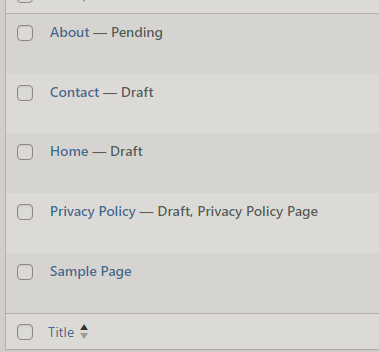
If you take a look at the pages in this example, you can see that next to the name of the webpage, it shows it’s current status. We have the ‘Contact’ page set to Draft which is NOT VISIBLE & About, which is currently set to pending. But you might be asking yourself, why does ‘Sample Page’ have nothing next to it? That is because this page is set to ‘Published’ and is currently visible.
Can I quickly update the status of a page?
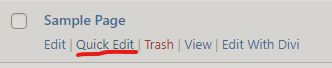
Absolutely! if you hover the page you wish to update, you will see a hyperlink to ‘Quick Edit’, press this button.
Once you do this, you will see the settings for the single webpage.

On these settings, you can see the status dropdown where you can update the page status settings.